JAMIT
Redesigning the Virtual Studio for Jamit's audio creator app design.
Enhancing the web-based virtual studio for Jamit's audio storytelling app design. Streamlining the user experience for creators to record studio-quality audio, manage recording sessions, and download their media.
ROLE
Product Designer
TIMELINE
2024
TEAM
- Designer (Me)
- Software Engineer
SKILLS
- Product Design
- Product Strategy
- Competitive Analysis
- Prototyping
PROBLEM STATEMENT
The current user interface of the Virtual Studio lacks visual appeal for creators and makes it difficult for them to locate the download button after completing a recording.
USER GOALS
The user's goal for this project was to create a design that enhances the user experience for creators on the audio creator app design virtual studio. This includes the ability to initiate a recording session, access their recordings, and download them at any time.
CURRENT UI ISSUES
There is no separate screen for users to find their recordings after they have finished recording. Instead, it is mixed in with the manage sessions screen.
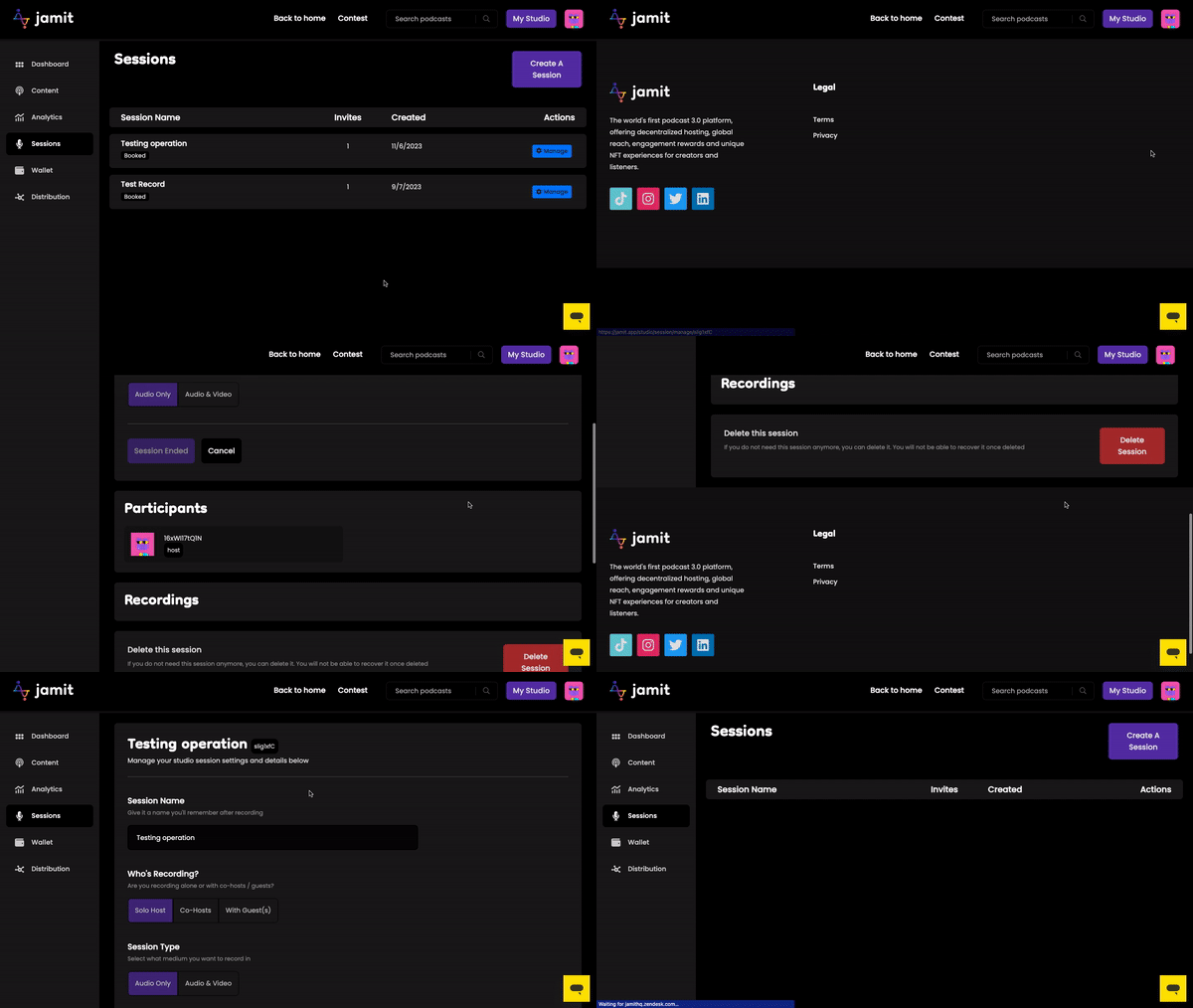
CURRENT SESSIONS SCREEN
The live recording page for the Virtual Studio does not have an appealing user interface design and requires improvement.
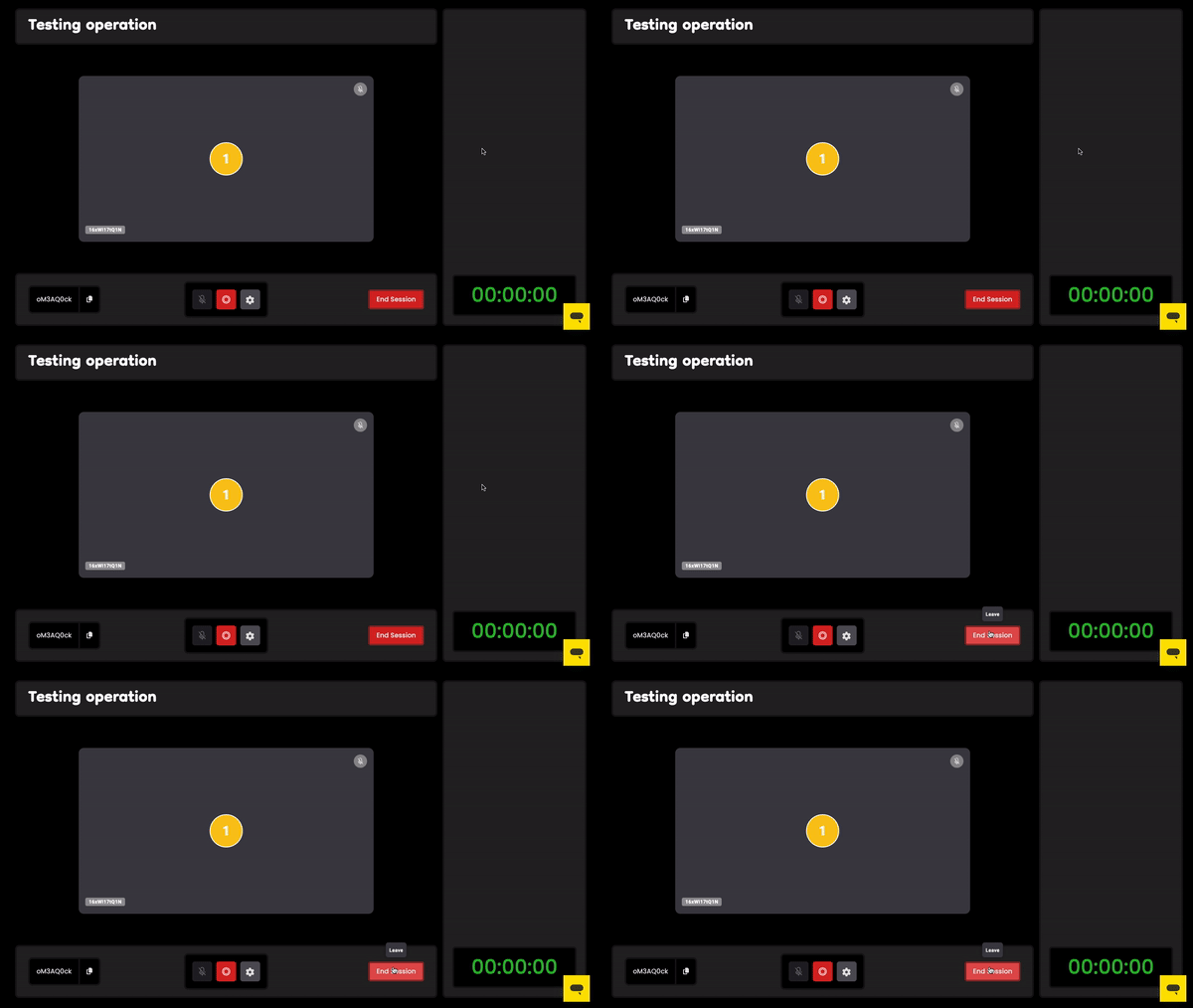
CURRENT RECORDING SCREEN
DESIGN PROCESS
I began by questioning the purpose ('why') behind the current design of the Virtual Studio, specifically how users interact with it to access their recordings after completing the recording process. Additionally, I conducted a competitor analysis to explore how other video and audio recording platforms tackle this problem for their users. These steps were crucial in guiding my design approach and informing my decision-making process when developing a solution.
RESEARCH & USER INSIGHT
Based on my research on how users interacted with the current design for the Virtual Studio, I discovered that many users who use the platform and complain about the issue of accessing their recordings for downloads were confused by the 'manage' CTA button. They mistakenly believed that it was for editing session details or adding participants before starting a recording. Additionally, the recordings component was located on the same screen.
COMPETITOR ANALYSIS
During this process, I examined Zoom and Google Meet, as they are commonly used platforms for video recording. I also looked into Riverside.fm, which is popular among creators for recording high-quality audio and video for their content. I conducted this analysis to understand how their users download their recordings once they have finished recording or whenever they wish to do so.
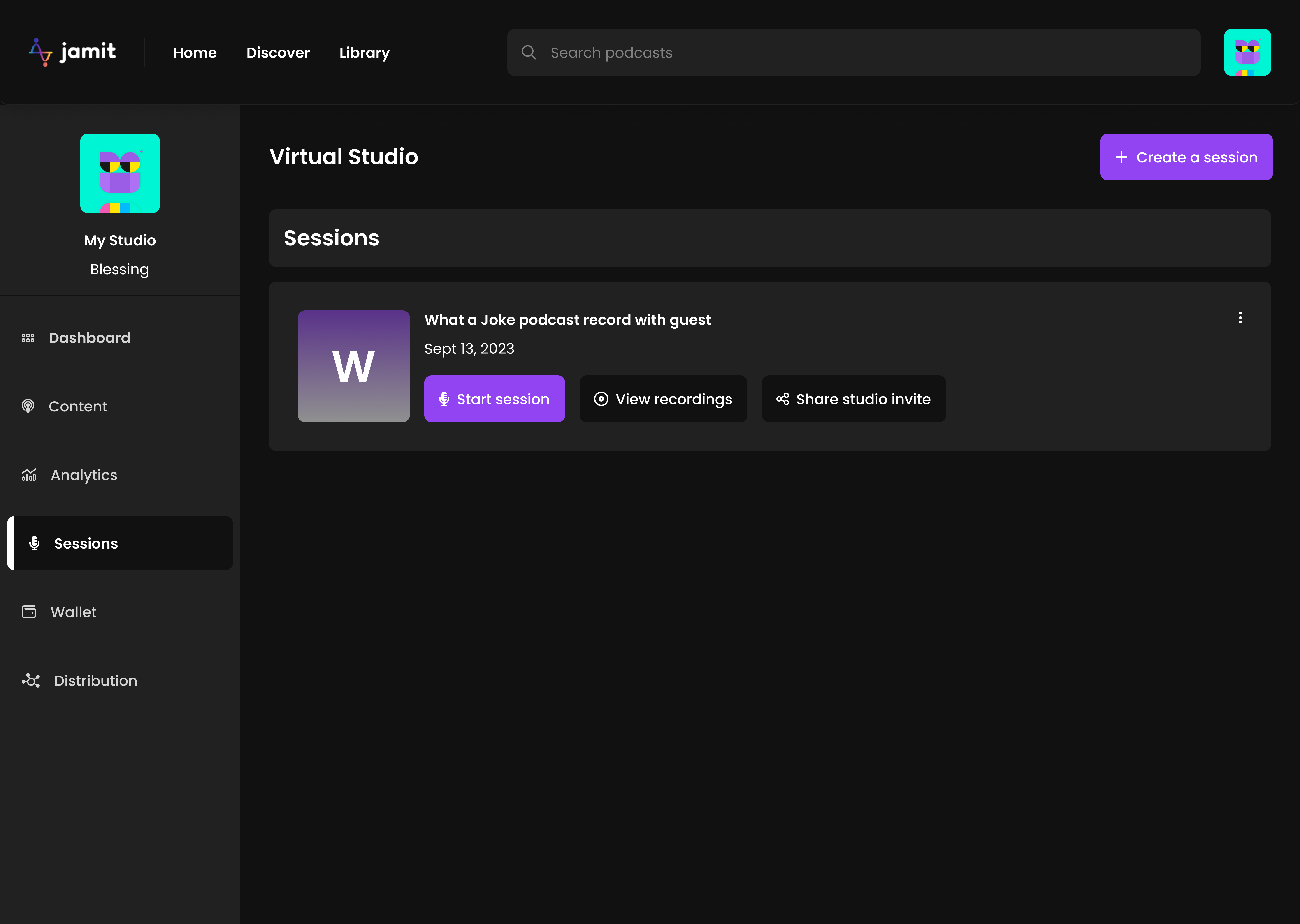
SESSIONS
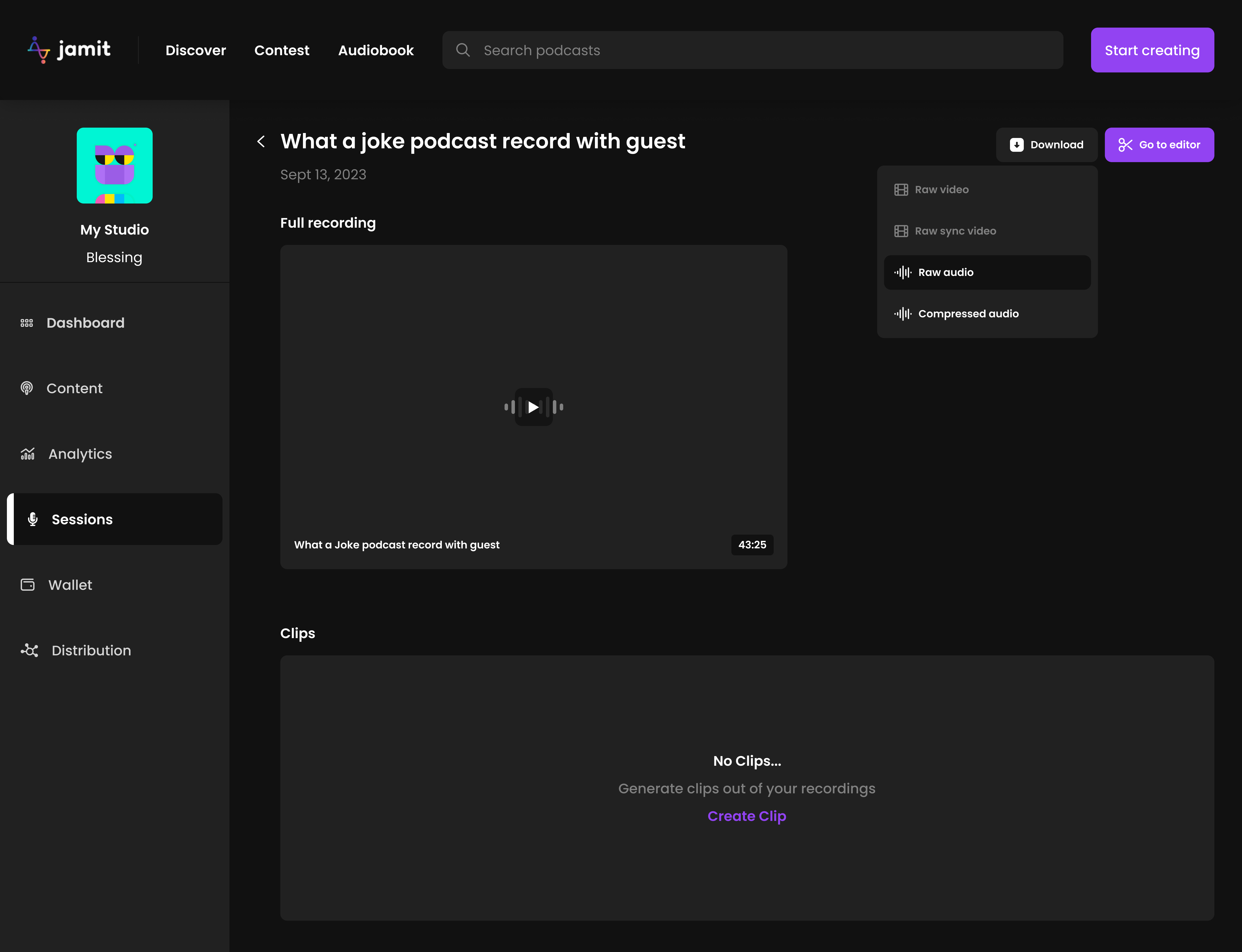
RECORDINGS INTERFACE
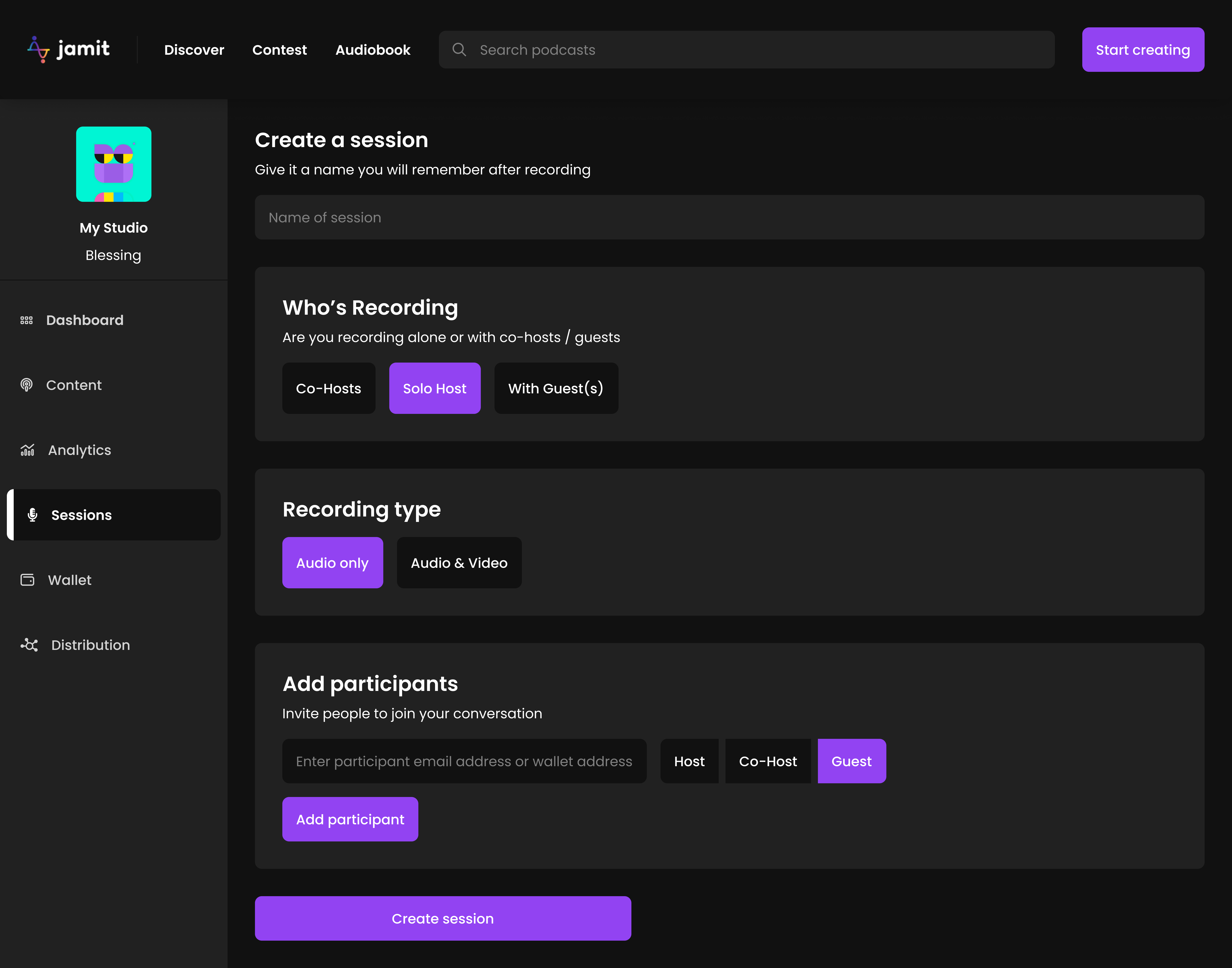
CREATE A SESSION
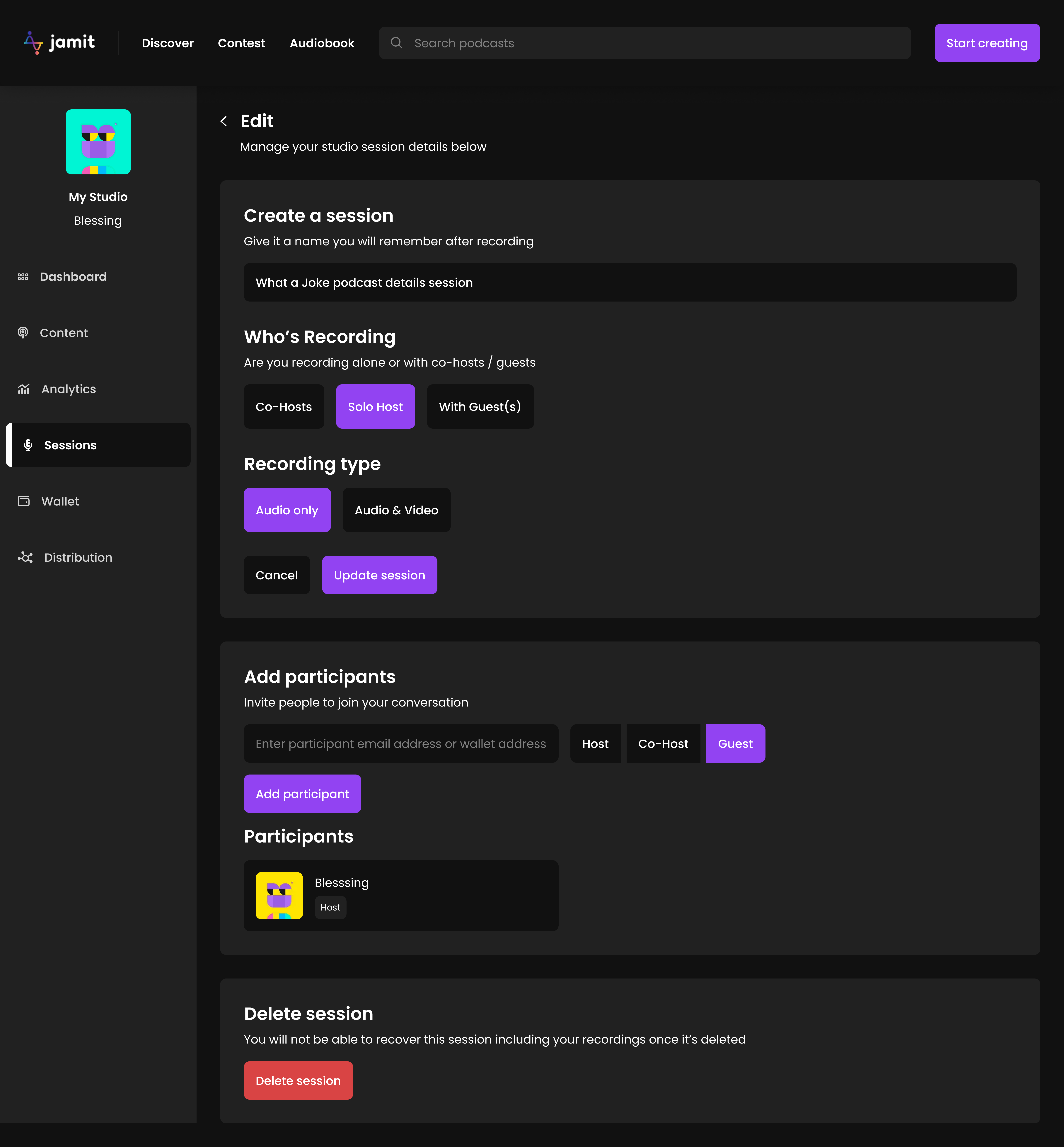
EDIT A SESSION
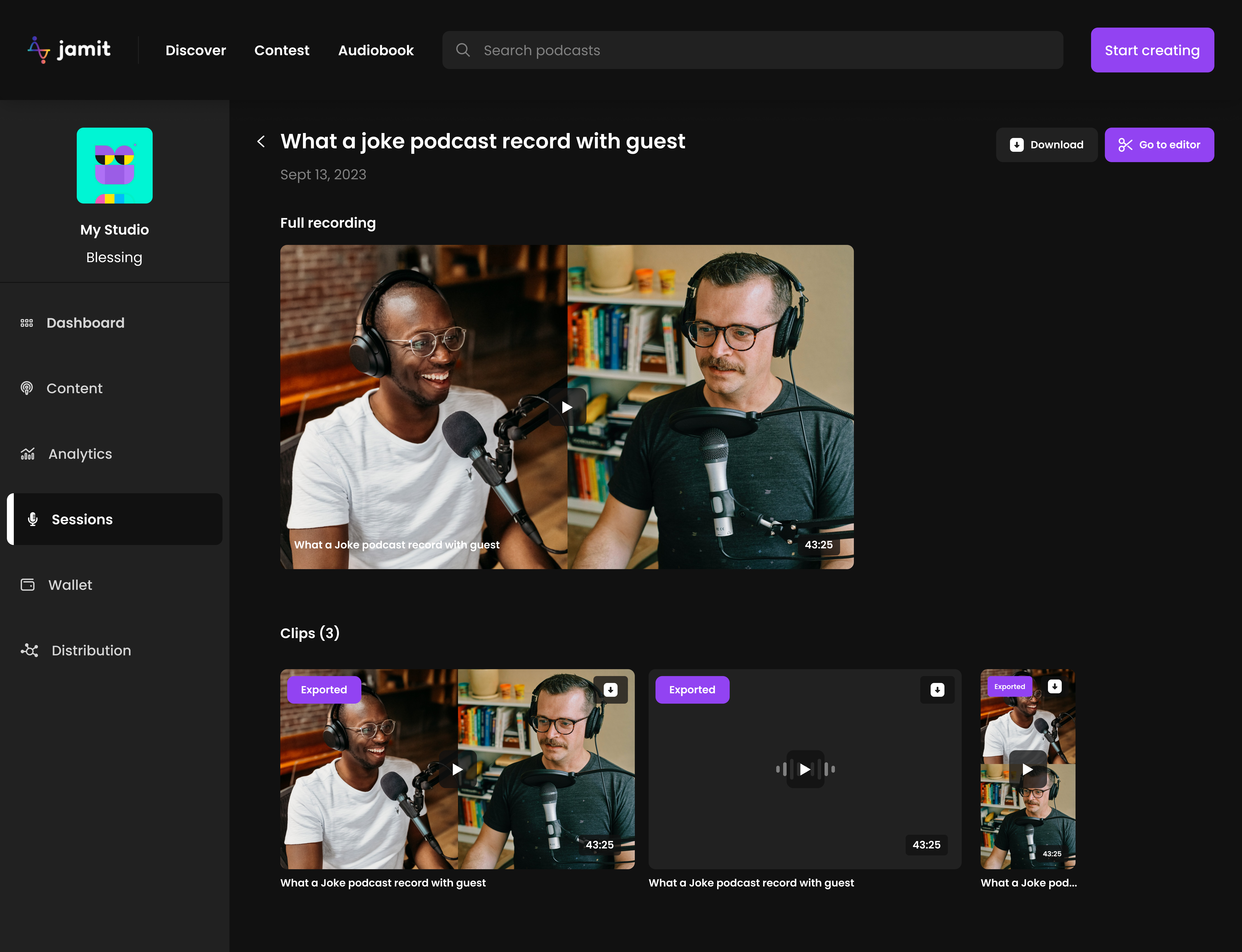
RECORDINGS INTERFACE
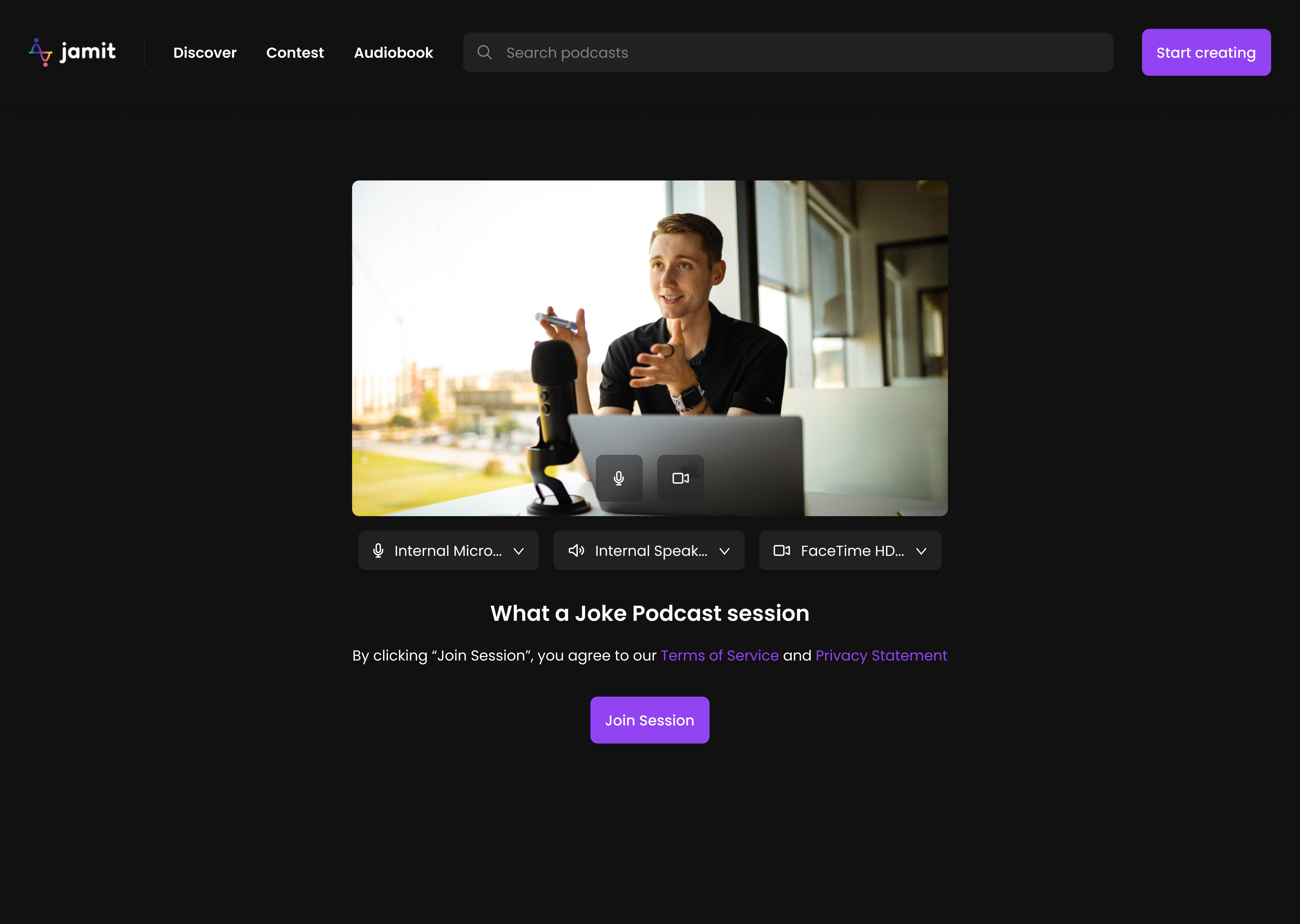
JOIN SESSION
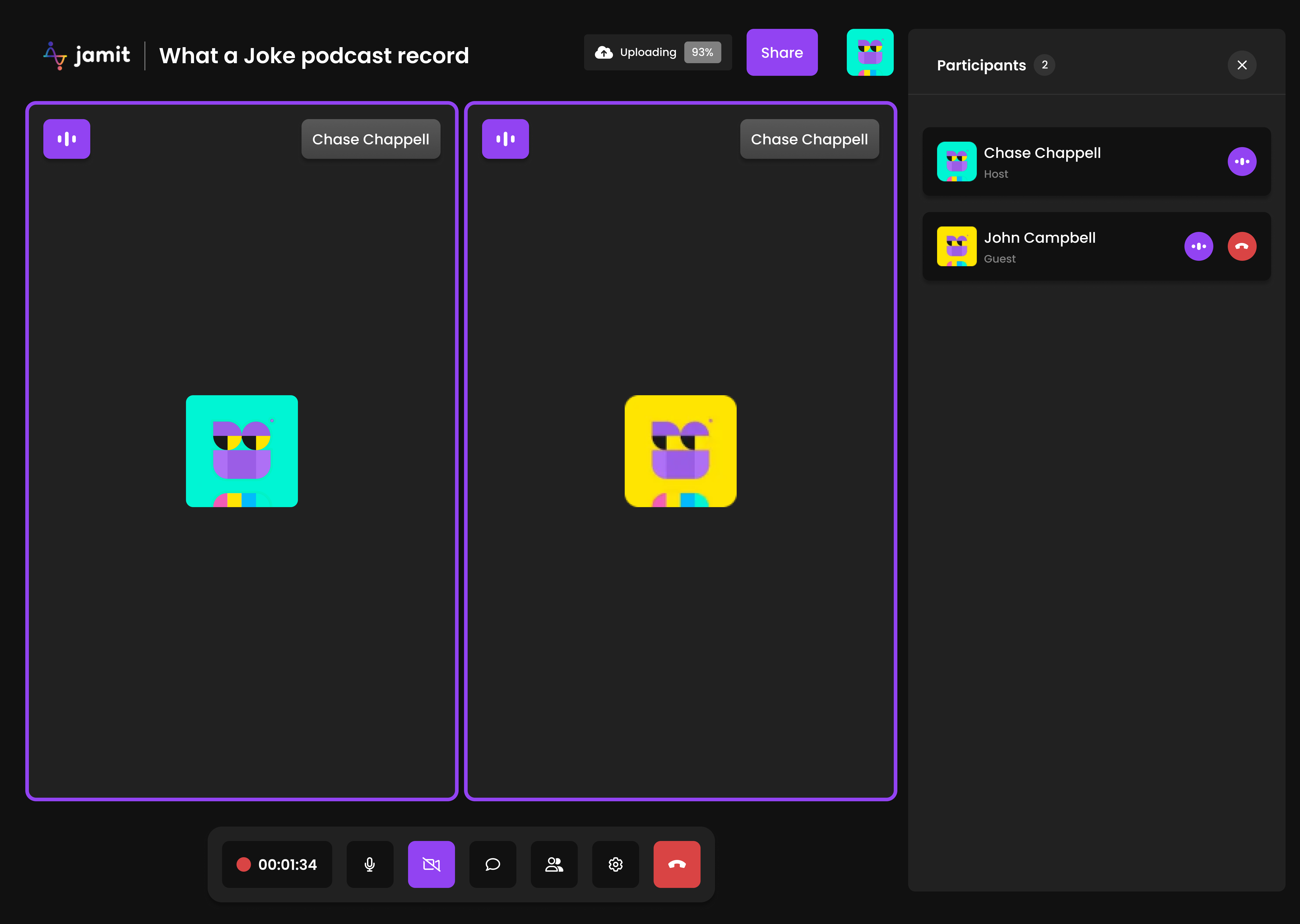
Live Recording Interface with Participant View
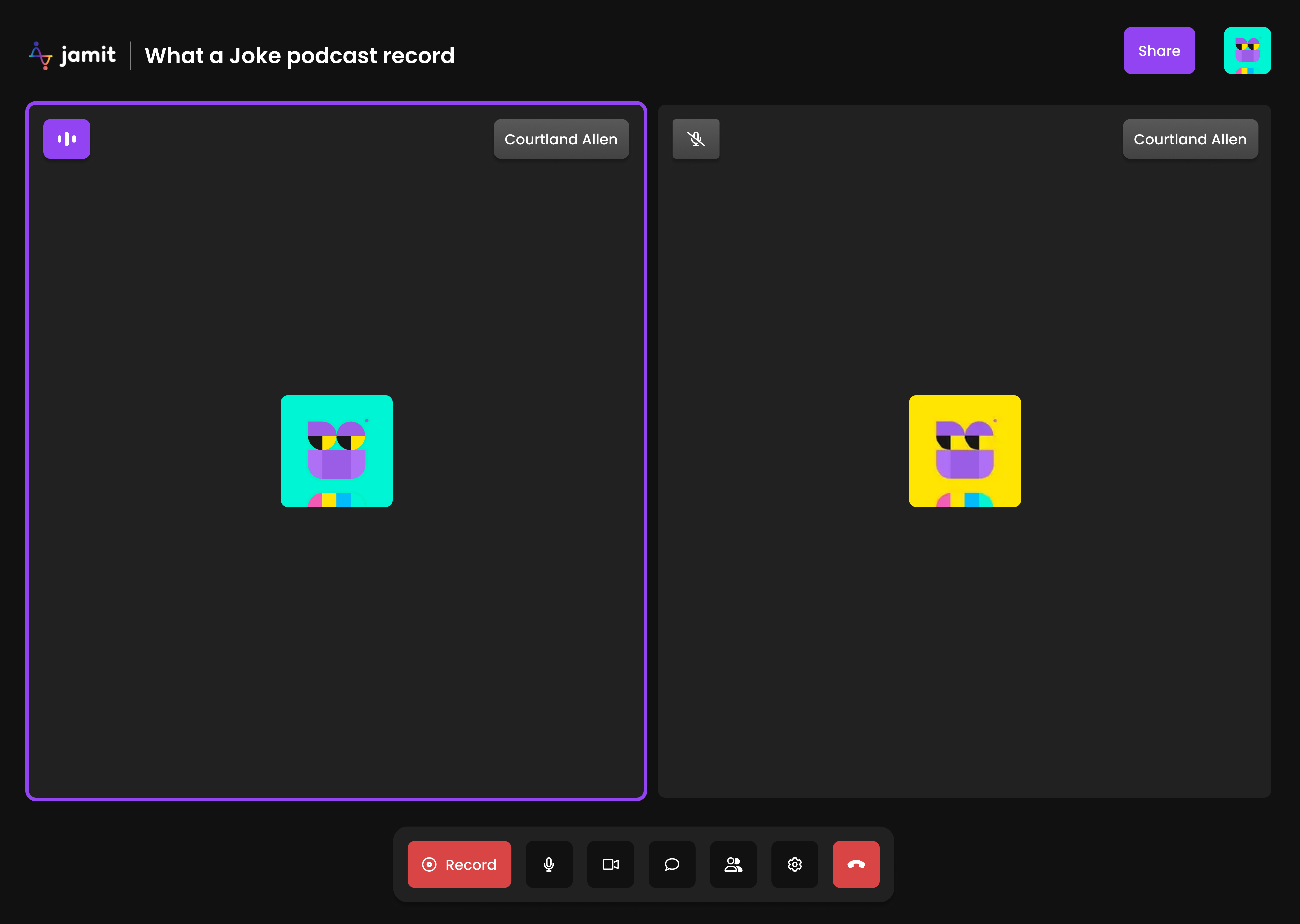
LIVE RECORDING INTERFACE
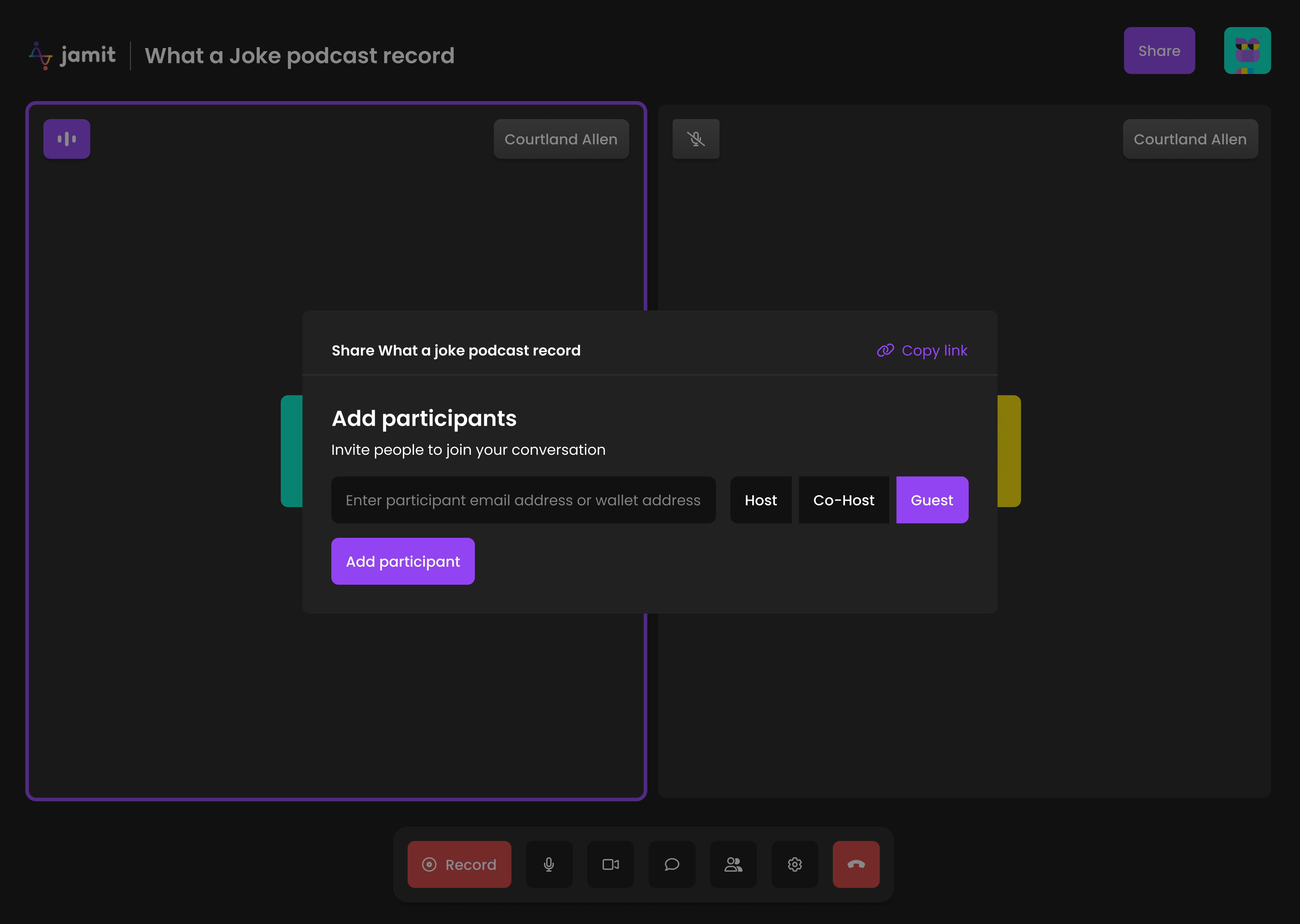
ADD PARTICIPANTS TO SESSION